
Introduction
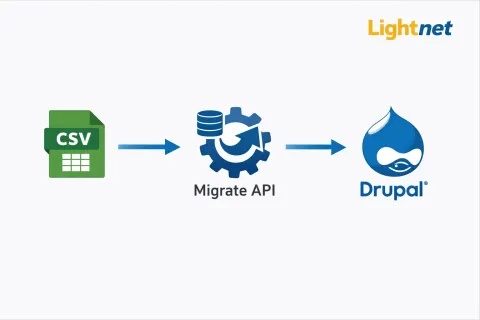
Migrating content from CSV files into Drupal is a very common real-world requirement, especially when moving data from Excel sheets, legacy systems, CRMs, or third-party platforms. Drupal’s Migrate API, combined with YAML-based configuration, provides a clean, scalable, and repeatable solution.
This article explains CSV migration in Drupal step by step, with clear examples, proper formatting, and best practices suitable for Drupal 8, Drupal 9, and Drupal 10.
What Is CSV Migration in Drupal?
CSV migration in Drupal refers to importing structured data from a CSV (Comma-Separated Values) file into Drupal entities such as:
- Nodes (Articles, Pages, etc.)
- Users
- Taxonomy terms
- Media and files
- Paragraphs
Instead of writing custom PHP scripts, Drupal allows developers to define migrations using YAML files, making migrations easier to maintain, review, and reuse.
Required Modules
Before starting, enable the following modules:
- migrate (Core)
- migrate_plus
- migrate_tools
drush en migrate migrate_plus migrate_tools -y
These modules provide CSV source plugins, YAML configuration support, and Drush commands for running and debugging migrations.
Example Use Case: Article Migration
In this example, we will migrate article content from a CSV file into Article nodes in Drupal.
Sample CSV File
File location:
modules/custom/my_migrate/data/articles.csv
id,title,body
1,First Article,This is the first article body
2,Second Article,This is the second article body
Each row represents one article, and the id column acts as the unique identifier.
Migration YAML Configuration
Create the migration configuration file at:
modules/custom/my_migrate/config/install/migrate_plus.migration.article_csv.yml
YAML File Example
id: article_csv
label: 'Article CSV Migration'
migration_group: default

source:
  plugin: csv
  path: modules/custom/my_migrate/data/articles.csv
  header_row_count: 1
  ids:
    id:
      type: integer

process:
  title: title

  body/value: body
  body/format:
    plugin: default_value
    default_value: basic_html

destination:
  plugin: 'entity:node'
  default_bundle: article

migration_dependencies: { }
Key Sections Explained
1. Source Section
source:
  plugin: csv
  path: modules/custom/my_migrate/data/articles.csv
plugin: csvtells Drupal to read from a CSV filepathspecifies the CSV file locationidsdefines the unique identifier (mandatory)
2. Process Section
process:
  title: title
  body/value: body
This section maps CSV columns to Drupal fields:
- Left side → Drupal field
- Right side → CSV column
You can apply transformation plugins such as:
default_valueconcatexplodecallbackmigration_lookup
3. Destination Section
destination:
  plugin: 'entity:node'
  default_bundle: article
This configuration creates Article content type nodes in Drupal.
Running the Migration
Check Migration Status
drush ms
Run the Migration
drush mim article_csv
Roll Back the Migration
drush mr article_csv
Debugging and Validation
Drupal provides helpful Drush commands for troubleshooting:
drush migrate:messages article_csv
drush migrate:fields-source article_csv
drush migrate:fields-destination article_csv
Best Practices
- Store CSV files in private directories for security
- Always define a unique ID in the source section
- Test migrations with limits:
drush mim article_csv --limit=1
- Use migration groups for large projects
- Keep migration YAML files under version control